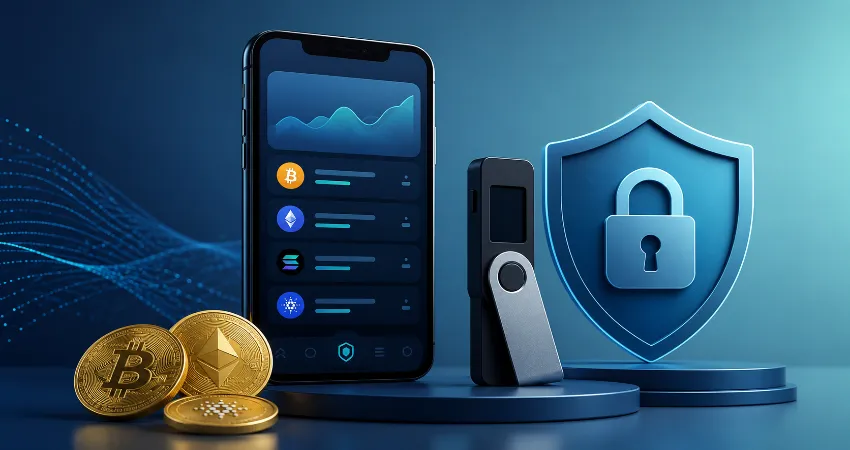
Choosing a crypto wallet can feel surprisingly difficult. Most popular wallet apps promise self-custody, privacy, simple transfers, and strong security, yet they do not all protect users in exactly the same way. More importantly, a wallet with excellent technology can still become unsafe if its recovery phrase is exposed, a malicious transaction is approved, or the app is downloaded from an imitation website.
That changes how crypto wallets should be compared. Instead of asking only which app has the longest feature list, it is more useful to examine where private keys are stored, how recovery works, what protections exist against deceptive websites, whether hardware wallets can be connected, and how easily a normal user can understand what they are signing.
This comparison focuses on MetaMask, Trust Wallet, Base wallet from Coinbase, Phantom, and Exodus, along with hardware-wallet applications such as Ledger Wallet and Trezor Suite. The goal is not to declare one universal winner. It is to identify which security model makes sense for different types of users and different amounts of crypto.
What Actually Makes a Crypto Wallet Safe?
A crypto wallet does not literally hold coins inside the application. Your assets remain recorded on their blockchain. The wallet manages the private keys that authorize transactions involving those assets. This distinction matters because protecting the private key is ultimately more important than protecting the wallet’s visual interface.
For a self-custody software wallet, security normally depends on several layers: recovery-phrase protection, local device security, transaction verification, protection against deceptive websites, and the user’s own behavior. A phone PIN or biometric lock can stop casual access to an application, but it cannot protect a wallet after its recovery phrase has been exposed.
MetaMask: Strong Choice for Active Web3 Users
MetaMask remains particularly useful for people who frequently interact with Ethereum and compatible networks through decentralized applications. Its security approach includes a Secret Recovery Phrase, password protection on the local application, transaction confirmation screens, and protections designed to warn users about known malicious domains.
One of MetaMask’s stronger characteristics is its security education and anti-phishing work. Its official security guidance repeatedly emphasizes that users should never provide their Secret Recovery Phrase to websites or people claiming to offer support. MetaMask has also developed and used malicious-domain detection systems designed to warn users before they interact with identified harmful sites.
The main weakness is not necessarily MetaMask itself. Browser wallets operate in an environment where users frequently connect to third-party applications and approve smart-contract requests. That makes careful transaction review essential. MetaMask is therefore a strong option for experienced Web3 activity, but keeping a large long-term balance in the same wallet used for frequent website connections creates unnecessary exposure.
Trust Wallet: Practical Security for Mobile Users
Trust Wallet is attractive to people who want one mobile application for multiple blockchain networks. Wallet access can be protected with a security PIN and supported biometric authentication, while control of the wallet ultimately depends on the user’s secret phrase.
The mobile-first approach makes Trust Wallet convenient, but convenience should not be confused with complete protection. Someone obtaining the recovery phrase can restore the wallet elsewhere without needing the original phone, PIN, or fingerprint. A sensible Trust Wallet setup therefore includes an offline recovery backup, a strong phone passcode, biometric protection, and careful verification of every application connection.
Base Wallet: Easy Self-Custody for Coinbase Users
Coinbase’s self-custody wallet experience, now centered around Base, can be appealing to people who want an easier introduction to on-chain activity. An important distinction is that a self-custody wallet is not the same as keeping assets inside a regular Coinbase account. With self-custody, control and recovery responsibilities remain with the user.
Coinbase’s documentation makes this responsibility clear: traditional self-custody recovery can depend on a recovery phrase that Coinbase cannot retrieve for the user. That provides independence but removes the familiar password-reset safety net people expect from ordinary online accounts. Base is therefore approachable for beginners, provided they understand that self-custody requires a different backup mindset.
Phantom: Excellent for Solana and Multi-Chain Activity
Phantom became well known through the Solana ecosystem and has expanded its blockchain support. From a security perspective, its strongest user-facing features include suspicious-site protections, clear warnings around recovery phrases, transaction previews, and extensive guidance about fraudulent support accounts and deceptive wallet requests.
Phantom’s official guidance treats the Secret Recovery Phrase as the master key. For phrase-based wallets created in Phantom, the phrase can restore wallet access, which also means anyone who obtains it can potentially control the wallet. Phantom specifically recommends keeping the phrase offline rather than in screenshots, email, cloud storage, or ordinary digital notes.
For people heavily involved in Solana applications, Phantom provides a polished balance between usability and security. As with MetaMask, however, a wallet regularly connected to new applications should not automatically become the storage location for an entire long-term portfolio.
Exodus: Simple Multi-Asset Management
Exodus focuses heavily on making self-custody accessible through an easy-to-understand interface. It supports numerous digital assets and incorporates open-source components, while Exodus states that its team reviews dependencies used within its products.
An especially useful security option is hardware-wallet integration. Exodus can work with supported Ledger devices, allowing private keys associated with the hardware wallet to remain separated from the ordinary software-wallet environment. This creates an important distinction between simply viewing and managing assets through an application and storing the signing keys directly on an internet-connected device.
Exodus can therefore work well for users who value simplicity, but its strongest configuration is more compelling when significant holdings are protected through compatible dedicated hardware rather than an ordinary software wallet alone.
Ledger Wallet and Trezor Suite: A Different Security Model
Ledger Wallet and Trezor Suite deserve separate consideration because their strongest security benefits come from dedicated hardware signers. In this model, the application provides the management interface while sensitive signing operations are confirmed using a separate physical device.
This substantially changes the threat model. A compromised computer is still dangerous because it can display misleading information or encourage harmful actions, but the private keys are designed to remain protected by the hardware device. Users can also verify important transaction information on the physical device before approval.
For substantial long-term holdings, this separation between an internet-connected interface and the signing keys is generally preferable to storing everything in a browser or mobile software wallet.
My Practical Security Ranking by Use Case
There is no responsible way to rank every wallet from first to last without considering how it will be used. For everyday Ethereum-based Web3 access, MetaMask is highly capable. Phantom is particularly compelling for Solana-focused activity. Trust Wallet works well for mobile-first multi-chain users, while Base offers an approachable self-custody experience. Exodus stands out for users who value simple multi-asset portfolio management.
For larger amounts that do not need to move regularly, however, I would prioritize a hardware-backed setup using software such as Ledger Wallet or Trezor Suite. Another practical strategy is separating wallets by purpose: a hardware-protected vault for long-term assets and a smaller software wallet for regular interactions.
The Security Mistake That Matters More Than Wallet Choice
The biggest misconception is believing that choosing a reputable wallet removes the need for personal security practices. A recovery phrase can bypass many application-level protections because it can recreate control of the wallet elsewhere.
Never photograph the phrase, send it through messaging applications, store it in ordinary cloud documents, or enter it into a website that claims wallet verification is required. Download wallet software only through confirmed official sources. Before transferring a significant amount, send a small test transaction first and independently verify the destination address.
A Safer Wallet Setup for Everyday Users
A practical setup does not need to be complicated. Keep long-term holdings separate from the wallet you regularly connect to websites. Store recovery information offline in a location protected from both unauthorized access and accidental loss. Secure your phone and computer with strong authentication, keep operating systems and wallet applications updated, and review transaction details rather than approving requests automatically.
For a meaningful portfolio, consider dedicated hardware signing. The objective is not to create an impossible-to-use security system. It is to prevent one compromised browser session, malicious website, stolen phone, or careless approval from exposing everything at once.
Frequently Asked Questions
1. Which crypto wallet app is the safest?
There is no single safest application for every situation. MetaMask, Phantom, Trust Wallet, Base, and Exodus can all be used securely when configured correctly. For significant long-term holdings, a setup where private keys are protected by dedicated hardware generally provides stronger isolation than relying exclusively on a phone or browser wallet.
2. Is MetaMask safer than Trust Wallet?
Neither is automatically safer. MetaMask is particularly suitable for browser-based Web3 activity, while Trust Wallet offers a strong mobile-focused experience. The larger difference often comes from user behavior, recovery-phrase storage, connected applications, device security, and how frequently the wallet interacts with unfamiliar services.
3. Can someone steal crypto without my wallet password?
Yes. A local wallet password mainly protects access to the application on that particular device. If another person obtains the recovery phrase or relevant private key, they may restore control using another wallet installation without knowing the original application’s password.
4. Should I store my recovery phrase on my phone?
Offline storage is generally safer. Screenshots, cloud-backed photographs, email drafts, digital notes, and online documents can expand the number of systems that must remain secure. A carefully protected offline backup reduces exposure to remote account compromises and malicious software.
5. What happens if I lose my phone?
If you still have the correct recovery information, a traditional self-custody wallet can normally be restored on another compatible device or application. Losing both the device and the only valid backup can make recovery impossible, which is why backup planning should happen before funds are deposited.
6. Are hardware wallets completely safe?
No security method eliminates every risk. Hardware wallets provide valuable isolation for private keys, but users can still approve harmful transactions, expose recovery information, use altered devices, or follow deceptive instructions. Hardware security works best when combined with careful verification and secure backups.
7. Is biometric authentication enough to protect a wallet?
Biometrics are useful for preventing unauthorized access to an application on a phone, but they are only one security layer. They do not replace recovery-phrase protection. If the underlying recovery secret is exposed, control of the wallet can potentially be recreated elsewhere.
8. Should I keep all my crypto in one wallet?
Separating funds by purpose can reduce risk. A long-term wallet can remain mostly disconnected from unfamiliar applications, while a second wallet holds only the amount needed for routine activity. This limits the potential impact if the frequently used wallet encounters a security problem.
9. How can I tell whether a wallet application is genuine?
Begin from the wallet provider’s verified official website rather than relying on unexpected messages or unfamiliar download links. Check the developer information carefully when using an application store. Be especially suspicious of any installation, support representative, or website that unexpectedly asks for a recovery phrase.
10. What should I do if my recovery phrase has been exposed?
Treat the affected wallet as compromised. Create a new wallet with completely new recovery information using trusted software or hardware, then transfer remaining legitimate assets to addresses controlled by the new wallet. Continuing to use the old wallet leaves future deposits exposed to anyone who obtained the original phrase.
Conclusion
The best crypto wallet is not simply the application with the most features. Security depends on how private keys are protected, how transactions are approved, how recovery information is stored, and how the wallet is used every day. MetaMask, Trust Wallet, Base, Phantom, and Exodus serve different users well, while hardware-backed setups provide stronger separation for substantial long-term holdings.
For most people, the most practical approach is simple: protect recovery information offline, verify every transaction, separate everyday activity from long-term storage, and never place an entire portfolio behind a single point of failure.